
Home Office Guide: Ergonomics for Remote Professionals
Remote work, BPO night shifts, and freelancing require sustainable workspaces that endure 8-to-12 hour shifts. Discover how to configure dual displays, webcam lighting, and compact condo corners to sustain high productivity without visual burnout.
The Philippine Remote Work Landscape
With hundreds of thousands of Filipino professionals working in IT, BPO, graphic design, and virtual assistance, the home office has become a permanent feature of modern apartments and family residences across Metro Manila, Clark, Cebu, and Davao.
Unlike corporate office buildings with calibrated commercial lighting grids, home offices often suffer from mixed lighting: bright outdoor window daylight fighting dim incandescent bulbs, or direct ceiling fans spinning beneath light fixtures, producing irritating stroboscopic flicker.
Designing a Compact Condominium Corner
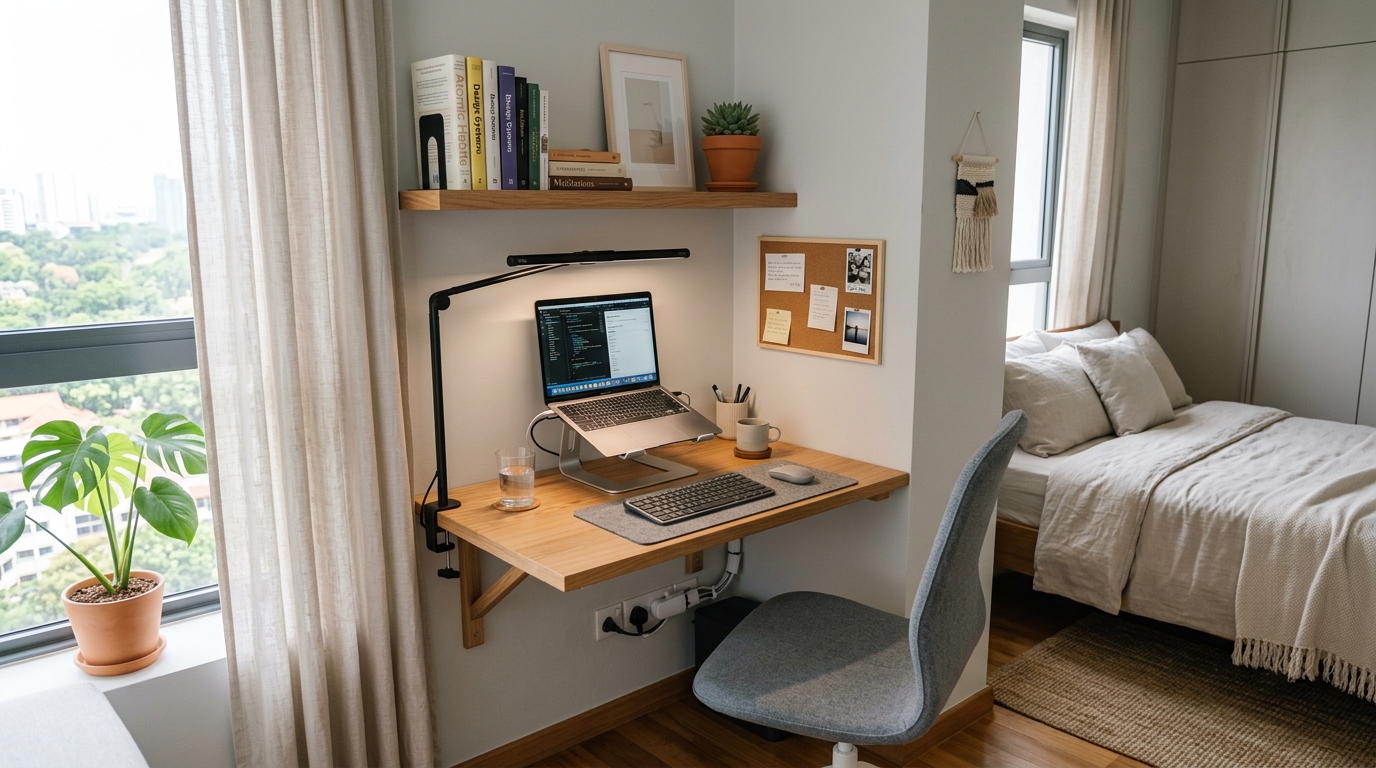
In high-density condominiums where space is at a premium, floating wall-mounted desks or corner nooks (75 cm to 100 cm wide) are standard. To maximize comfort in tight quarters:
- Mount Lights to the Wall or Desk Lip: Keep the desk surface completely clear for your keyboard, mousepad, and reference notes by utilizing clamp-on architectural lamps.
- Separate Laptop Screen from Keyboard: Stacking a laptop on an adjustable riser brings the display to eye level, preventing the forward head tilt responsible for upper back tension.
Dual Screen Alignment: Primary vs Secondary
If you use dual monitors (or an external monitor paired with a laptop screen), how you align them directly impacts your ocular and cervical strain:
The 80/20 Alignment Rule
If you spend 80% of your time on one screen (e.g. coding or writing) and 20% on the other (e.g. Slack or reference docs), place the primary monitor straight in front of your nose and position the secondary screen immediately to the side at a slight 30° inward curve. Only place monitors dead-center side-by-side if you split your attention 50/50, otherwise you will spend the entire day with your neck turned sideways.
Webcam Lighting Without Blinding Your Eyes
Looking sharp on Zoom, Google Meet, or Teams video calls often leads remote workers to point harsh ring lights directly into their faces. Staring straight into exposed LED beads for hour-long meetings creates intense retinal afterimages and headaches.
A Softer Alternative: Turn your desk lamp around and bounce its light off the wall behind your monitor. The matte paint on your wall acts as a giant diffuser, bathing your face in flattering, soft, studio-quality light without any painful direct glare in your eyes.
Air Conditioner & Electric Fan Placement
In warm Philippine weather, having an electric stand fan or air conditioner louvers pointed straight at your workstation is common. However, continuous air blowing across your face accelerates tear film evaporation, causing red, scratchy dry eyes by mid-afternoon.
Adjust oscillating fan paths so air circulates behind or beside your desk rather than blowing straight across your forehead and eyes.